
Test your webinar
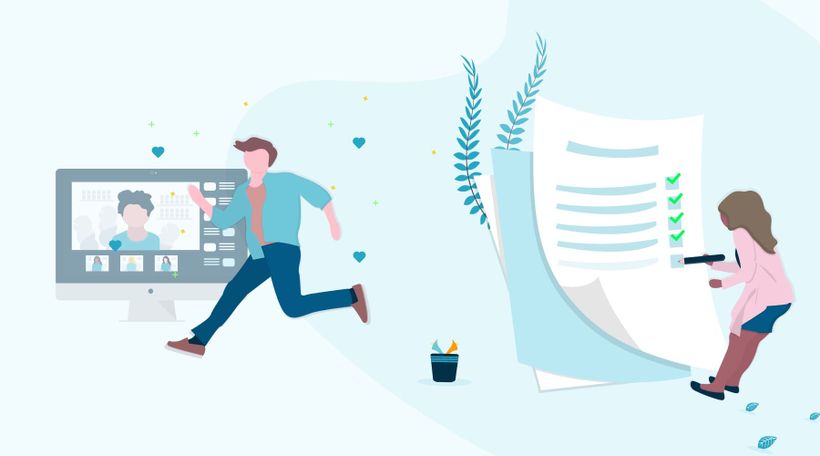
Learning goal: you know different ways to test your webinar and know what you need to host a webinar.
To avoid unexpected surprises during your live webinar, we recommend that you always test beforehand. By testing, you'll know if you want to make any adjustments and start your live webinar with peace of mind! Read on for some helpful points while testing and during the webinar.
Supplies
You probably expect it, but you can't host a webinar out of thin air! Start with the basics. You'll need a computer or laptop, webcam, microphone and internet connection. A newer computer or laptop is usually suitable and has a built-in webcam and microphone. In addition, we recommend the following points:
Restart your computer.
Turn off automatic updates. You don't want your computer to automatically install or restart anything during your webinar.
If you can, use an external webcam. Often these are of better quality and you can more easily control the height of the camera.
Test your microphone
In addition to these necessities, a good and stable internet connection is essential. You are going to stream a live video. This not only requires a lot from your computer, but also from your internet connection. Especially the upload speed is important. Use a wired connection. Wifi can be unstable sometimes and that will not benefit the quality of your broadcast. Curious about the quality of your connection? Test it here.
Choose a suitable spot
After you have collected all the supplies, you must of course find a suitable place. Choose a quiet place where you will not be disturbed. You don't want any distractions during your webinar, or for your participants to hear background noise. Let the people around you know that you are going to webinar! Stick a note on the door, or like us, hang a door hanger with a little reminder not to disturb you.
Lights, camera, action!
You're ready to go, the camera is on you, but you're not in the right picture! Light is also an important factor. In the right light, you not only look better (who wouldn't want that?), it also adds to the professional look of your webinar. Good lighting doesn't have to be difficult. Ordinary daylight is fine. Just make sure that when using the light that Mother Nature gives us, you face the light. Then you'll look the most radiant and won't have weird shadows that might distract from what you're saying. In a room where there is little daylight, a lamp is not an unnecessary luxury. But keep in mind: light should come from the front.
If you really want to make an impact, studio lamps are a good option. We recommend the use of daylight lamps. Place two lamps diagonally in front of you, just behind the camera, for the best light.
A good camera angle
To get a flattering picture, we always recommend that you place the camera just above eye level and tilt it forward. You will then almost always get the best angle! The angle of your built-in laptop is therefore far from ideal. Still want to use the webcam of your laptop? Then place your laptop on an elevation, perhaps a few thick books underneath are all you need.
Test 1, 2, 3
Good preparation is half the battle. Testing your webinar beforehand is very important. During the test you check whether everything works. Is the technology in order? Are all the functions working? If everything works well, you start with a more confident feeling. You can test as many times as you want, so make sure you test as much as possible!
Please note! A test webinar is not recorded. Do you want to see what it looks like? Then create a live webinar as a test.
What have you learned?
You know what you need
How to get the best picture
Testing!
Next courses
Webinar Essentials Ebook
Ein vollständiger Leitfaden zur Erstellung innovativer Streaming-Erlebnisse in Form von Webinaren. Warum solltest du Webinare hosten? Wie gewinnen Webinare Leads? Wie hebst du Trainingssessions auf ein höheres Niveau? Und vieles mehr wird in diesem E-Book behandelt.

E-Mails einrichten
Kommuniziere vor und nach dem Webinar mit verschiedenen E-Mail-Typen. Mache deine Zuschauer mit automatisierten Follow-up-Mails zu Kunden!

E-Mail- und Webinar-Marketing durch MailBlue
MailBlue, offizieller ActiveCampaign-Reseller, zeigt, wie Webinare und E-Mail-Marketing zusammenpassen.

Wie du Untertitel und Captions für deine vorab aufgezeichneten Webinare erstellst
Verbessere die Barrierefreiheit, steigere die Interaktion und mache deine Inhalte inklusiver mit diesen schnellen Tipps. Lerne, wie du ganz einfach Untertitel und Captions zu deinen vorab aufgezeichneten Webinaren hinzufügst!
Organisiere epische Webinare mit RTMP
Upgrade dein Webinar-Erlebnis! Lerne, wie du OBS, den Atem Mini Pro und RTMP nutzt, um die beste Qualität zu erzielen.

Interactions
Gather relevant information from viewers through the different interactions.

Optimiere deine Webcam mit OBS Teil 2
Verbessere die Bildqualität deiner Webcam mit OBS! Lerne, wie du Einstellungen wie Weißabgleich, Gamma und mehr anpasst, um ein professionelles Erscheinungsbild zu erzielen.

Erstelle dein erstes Webinar: Ein Leitfaden für Einsteiger
Bereit für dein erstes Webinar? Schau dir unsere Videoserie „Ein Leitfaden für Einsteiger“ an – wir zeigen dir alles: von der Zielsetzung bis zur Themenwahl. Erfahre, wie du mit den Tools von WebinarGeek den Ablauf optimierst.

7-Day Webinar Challenge - 'Step into the spotlight'

Der ultimative Kamera-Switcher: Atem Mini
Entdecke, wie der Atem Mini, ein vielseitiger Kamera-Switcher, deine Webinare mit seiner benutzerfreundlichen Oberfläche, mehreren Eingangsoptionen und professionellen Funktionen revolutionieren kann. Perfekt für alle, die ihr Livestream-Setup verbessern möchten.