Points forts
Webinaires
Intégrations
Ce mois-ci, nous lançons de nouvelles fonctionnalités qui simplifient l'organisation des webinaires.
Histoires à succès
Industries
Cas d'utilisation
Dans ce témoignage, elle partage comment elle est passée d'un petit début à des milliers d'inscriptions — et ce que vous pouvez apprendre de son parcours.
Apprendre
Grandir
Connecter
Découvrez comment l’IA peut vous faire gagner du temps avant, pendant et après votre webinaire, grâce à des idées que vous pouvez mettre en pratique immédiatement.
Easily customize the registration page in the real-time editor.
Interactions
Gather relevant information from viewers through the different interactions.
E-mails
Share your message with different types of webinar emails. Turn your viewers into customers with automated follow-up emails!
Invite and promote
Publish your webinar and share your webinar with the world and collect interesting data about the participants!
Technical Checklist
Hosting a webinar for the first time can be an exciting experience. Fill in your email address and receive this checklist to see if you are ready!
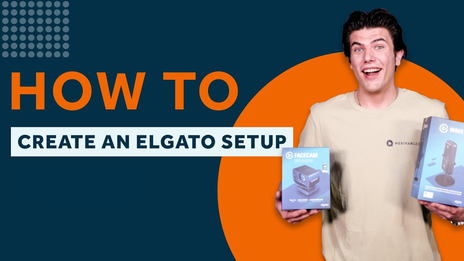
Master Your Elgato Setup - Complete 3-Part Video Guide
Learn how to build the ultimate Elgato setup in this 3-part video series—unboxing, software setup, and a full real-time walkthrough to boost your streaming game.
Create your first Webinar: A beginner's guide
Ready to host your first webinar? Join us in the video serie 'A beginner's guide' where we'll cover everything from defining objectives to choosing the right topic. Learn how to use WebinarGeek's tools to streamline the process.
Building a Successful Webinar Channel for Recurring Content
Setup your channel, manage recurring webinars, and promote your content to grow your audience.
Email template trends by Unlayer
Attract more subscribers with the email editor and page builder, powered by AI.
Get leads with recorded webinars
Discover ingenious ways to maximize your webinar recording! Elevate engagement, capture leads, and relive the live charm. Let's dive in! 🚀
How To Create Captions And Subtitles For Your Pre-recorded Webinars
Enhance accessibility, boost engagement, and make your content more inclusive with these quick tips. Learn to easily add captions and subtitles to your pre-recorded webinars!
5 Camera Tips for your Webinar
Discover 5 expert camera tips to improve webinar video quality. Boost your on-screen presence with better lighting, angles, and framing for more engaging online presentations.
Improve your audio using OBS - part 2
Enhance your webinar audio with OBS filters! In Part 2, explore advanced effects like compressor, expander, limiter, EQ, and more for exceptional sound quality. Tune in and level up your webinars!
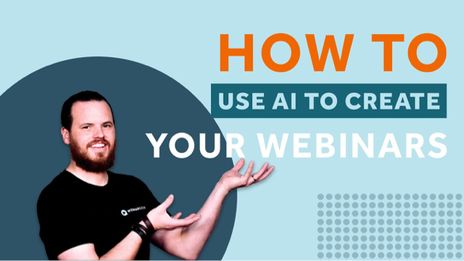
Use AI to create your webinars
Discover the future of webinars! With AI you can create a webinar in minutes—from outline to presentation, recording, and promotion. Say goodbye to hours of preparation and hello to seamless, efficient webinars.