
Production
Preventing and managing technical issues during your online event
Hosting online events can be exciting, but let’s face it: technical issues can sneak up on you, and that’s the last thing you want. So how can you prevent and manage those issues? In this blog, we’ll walk you through how to stay calm, focused, and professional while delivering a seamless experience for your audience.
The Ultimate Guide for the Best Tech Equipment to Host Webinars
Are you looking for a way to host professional-looking webinars without having to invest in an expensive webcam? This is how you can use your phone camera as a webcam.
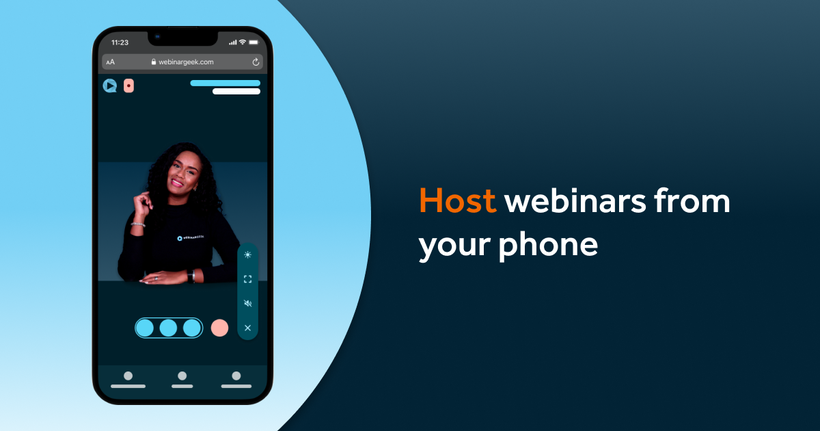
Broadcast a webinar from your mobile phone
Gone are the days when you needed a fancy studio, high-end equipment, or even a desktop computer to host a webinar. Now, all you really need is your mobile phone! Yes, that little device in your pocket can do way more than just send texts or scroll through memes.

10 practical tips for successfully presenting a webinar
Ensure your success with these tips for your next webinar.

5 Camera tips for your webinar
In this blog post, we will look at five tips to improve your webinar camera setup.

How to choose the right webinar layout
Choose from a variety of easy layouts for your webinar interface. Overlap your presentation slides with your webcam or switch between flexible layouts for co-presenting. Discover the options available at your fingertips!
How to Use Your Phone as a Webcam
Are you looking for a way to host professional-looking webinars without having to invest in an expensive webcam? This is how you can use your phone camera as a webcam.
How to restream your webinar to multiple platforms with WebinarGeek
Learn how to restream your webinar to YouTube, LinkedIn and Facebook with WebinarGeek, while keeping registration, interaction and follow-up in one place.

A Whiteboard in your Webinar? This is how!
Whiteboards are ideal for writing down ideas and visualizing information. Learn how to create a whiteboard in WebinarGeek.

How to create a low cost professional webinar studio
Learn how to get a really professional-looking webinar without spending thousands of euros.

Upgrade your webinars with the best Black Friday Deals of 2021
November 26th is the day again! Promotions and discounts are around like leaves in autumn. The best time to upgrade your webinar setup.

Expert advice from our Broadcast Operator on backdrops
A webinar background can matter more than you initially realize. How often have you been distracted by a background during a webinar?

5 Tips to create a professional webinar studio at home
This article shares some tips to create your own professional webinar studio at home.

Divide tasks with workflow software
Clarity about the same goal makes for a great joint product.

The Product Demo Video - The Virtual Tour of Your Product
Convince your prospect with a product demo video to go further down the funnel.

Create a Virtual Background for Webinars
Learn how you can create a virtual background for your webinar.
How to use OBS overlays for a professional webinar look
Connecting with your audience. Read here how to do that easily.

Upgrade your webinar setup with Black Friday deals
The 27th of November is that time of the year again! Black Friday! Promotions and discounts are everywhere, so we decided to do something special for you this year.

WebinarGeek Tech Favorites
With our tech favorites, you can get the most out of your webinars.

The indispensible checklist for every webinar
This is the ultimate document to help you prepare for your webinar.

How to use a Green Screen for your Webinar
Use a Green Screen for your webinar

Kickstart your webinar
We made creating a webinar even easier with our new checklist.

Technical Requirements for Hosting a Webinar
Hosting a webinar is a blast when you have the right tools!

Create Multi-Camera Webinars
Learn how to create a multi-camera setup for your webinars.
Create your own webinar studio
Create your own DIY webinar studio in 6 simple steps!

Professional video camera as a webcam
Convert any professional camera into a webcam.

Want to host a successful webinar?
Organizing a webinar is a lot of fun! But we have to be realistic, there’s a lot involved in the process.

How to look good on camera
You’ll look good on camera and make an amazing impression with these 5 easy and quick tips.