
Webinar Checklist: Everything to Do Before, During and After Your Webinar

Stefan
06 août 2020 - 8 min - Mise à jour: 02 novembre 2026
Key takeaways
A webinar checklist covers five stages: planning, promotion, preparation, going live and follow-up. Most webinars need three to four weeks of lead time.
Most sign-ups come in the final week. 65% of registrations happen in the seven days before a webinar, and a reminder one hour before the start gives the highest live attendance, at 50.7% (WebinarGeek Benchmark Report 2027).
The replay extends the reach. 11% of all sign-ups watch the recording, on average four days after the live session, so always include it in the follow-up email.
Every webinar host knows the moment: the date is set, the invite is half written, and suddenly something feels forgotten. Is the registration page live? Did anyone test the microphone? Who's answering questions in the chat? A good webinar checklist takes that worry away by breaking the work into stages, with a clear next step at every point.
A webinar checklist is a stage-by-stage list of everything needed to plan, promote, prepare, run and follow up on a webinar, so nothing gets missed between the first idea and the replay. The steps are largely the same for a customer training, an internal town hall, a product demo or a session for students. Below, each stage is covered in the order it comes up, starting about a month before the webinar.
How to plan a webinar three to four weeks ahead
Every webinar plan starts with one clear goal and a specific audience. The topic, format, date and team roles all follow from those two choices.
This first stage is the one most tempting to skip, yet it shapes everything else. Before thinking about slides or promotion, decide what the webinar is for. Should people learn a new skill, understand a change in the organisation, see a product in action or simply get answers to their questions? Pick one main goal. A webinar that tries to do everything usually ends up doing nothing particularly well.
Next, get specific about the audience. What do they already know, what are they struggling with, and why would they give up part of their day for this session? The clearer that picture, the easier it is to choose a topic and title that draw the right people in. Our guides on defining a target audience and finding a strong webinar topic are a good starting point.
With goal and audience in place, the practical choices get easier. Will the session be live, automated or available on demand? One presenter, a co-presenter or a panel of guests? Then pick a date and time that suits the audience. In WebinarGeek's 2026 data, webinars starting at 15:00 had the highest live attendance (56.3%), followed by 11:00 (54.3%), while 20:00 starts dropped to 34.2%. Holidays, industry events and time zones are worth checking too.
Finally, divide the roles. Even a small webinar runs more smoothly when the presenter can focus on presenting while someone else keeps an eye on the chat, the questions and the tech. This overview of webinar team roles shows how to split the work before, during and after the session.
Plan your next webinar in one go
Download the questionnaireHow to promote a webinar two to three weeks ahead
Webinar promotion starts with a registration page and invitations through email, social media and the website. Confirmation and reminder emails belong in the same step, so every new registrant is looked after from the start.
The registration page is the first thing people see, so keep it focused: a clear title, a few lines on the key takeaways, the date and time, and a short form. Every extra form field is one more reason to give up, so only ask for what's really needed. This article on building a successful registration page goes into more detail.

A confirmation straight after sign-up and a reminder about an hour before the start make a solid baseline. In WebinarGeek's 2026 data, a single reminder one hour before gave the highest live attendance (50.7%), compared with 39.8% when no reminder was sent. A calendar invite also helps the session hold its place in a busy week. Reminders are more than logistics, though. They bring back the reason someone signed up in the first place, which is exactly what keeps registrants from drifting away. More on timing in when to send webinar invites.
Then it's time to spread the word: email existing contacts, share the webinar on the social channels the audience actually uses, add a banner to the website and ask speakers and partners to share it with their networks. Spread invitations over the weeks before rather than sending one big announcement, and don't stop too early. 65% of sign-ups happen in the final week, and around one in five people register in the last 24 hours, so a final invitation on the day itself still pays off. These promotion strategies offer extra ideas.
If registrations need to land in a CRM or email platform, connect and test that integration now, while there's still time to fix it.
How to prepare webinar content one week ahead
Good webinar content comes down to clear slides, planned interaction and a rehearsal. A week ahead leaves enough time to fix whatever doesn't work.
Keep slides light on text, use large fonts and plan a visual change every minute or two. Nobody wants to stare at the same dense slide while a presenter reads it aloud. Length matters less than many hosts think. The average webinar runs 72 minutes, viewers stay for about 56 of them and only 7.3% leave within the first five minutes. Variety is what keeps people watching, so plan a change of pace every so often, such as a poll, a second speaker or a short demo.
A simple run sheet helps too: when each part starts, who speaks when, and where the polls and questions come in. That one page keeps everyone in sync on the day, especially with several people on stage.
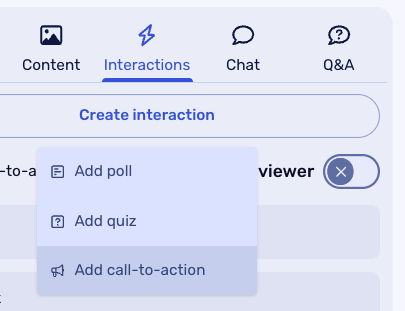
This is also the moment to plan interaction. A couple of polls, a quiz question or an open discussion prompt give viewers a reason to join live rather than wait for the recording, and they stop attention from slipping halfway through. For inspiration, see how to host interactive sessions.
Accessibility deserves a spot on the list as well. Captions, readable colour contrast and a short description of what's on screen make a webinar easier to follow for everyone. In some countries it's also becoming a legal requirement, as this article on the German accessibility law for webinars explains. Round off the week with a rehearsal for everyone who has a role.
What to test the day before a webinar
The day before a webinar, test the internet connection, camera, microphone and screen sharing on the exact setup that will be used live, then finish with a dry run.
Most webinar mishaps are technical, and almost all of them can be caught a day early. What matters is the actual device and room, not a spare laptop at home. The technical requirements for hosting a webinar give a full overview of what's needed.
Lighting and framing deserve a quick look too. Light from the front, the camera at eye level and a calm background make a bigger difference than an expensive camera, and these camera tips for webinars help get it right.
Run through the session once with co-presenters and the moderator, including the handovers between speakers, and check that the reminder emails are scheduled with the right links. A plan B is worth having as well: a second device, a mobile hotspot and a copy of the slides within easy reach.
What to do in the hour before going live
The hour before going live is for removing distractions and joining the studio 15 to 30 minutes early. That leaves time for a final check without rushing.
Close any programs and notifications that aren't needed, silence the phone, plug in the laptop and switch to a wired connection if possible. Open the slides, polls and run sheet so everything is one click away, and keep a glass of water within reach.
Once the whole team has joined the studio, do a last sound and camera check, run through the plan one more time, and take a breath. The preparation is done.
How to keep a webinar audience engaged
Engagement starts in the first five minutes. Early interaction, a moderator in the chat and a clear ending turn viewers into participants.
Start on time, even if people are still trickling in. Those who arrived promptly will appreciate it. In the first couple of minutes, explain what viewers will learn, how long the session takes and how to ask questions, so everyone knows what to expect.
A quick poll at the start is an easy way in. It gets people clicking and sets the tone for the rest of the session. On average, 31% of viewers take part in a webinar through polls, quizzes, chat or questions, so there's plenty of room to grow. While the presenter talks, the moderator looks after the chat and collects questions. Around 10 to 15 minutes at the end for Q&A is a good rule, as it's often the part attendees value most.
Then close with one clear next step: a resource to download, a follow-up session to sign up for or a link to try something out. One clear suggestion works better than three competing ones.
What to do after a webinar
After a webinar, send a follow-up email with the recording within 24 hours. Then review the attendance and engagement data to improve the next session.
Plenty of value is still to come once the webinar goes off air. The follow-up email should include the recording, the slides and the next step mentioned during the session. People who missed it live are often just as interested as those who joined: 11% of all sign-ups watch the recording, usually around four days after the live session. Offering the session on demand keeps it working for weeks or months, which is one of the main benefits of recording a webinar.
Answer any questions that didn't make it into the Q&A, then look at the numbers. How many registrants actually attended? When did viewers drop off, and how many took part in polls and chat? In WebinarGeek's 2026 data, live attendance ranged from about 35% to 56% of sign-ups depending on start time and reminders, but comparing results over time is the most useful benchmark. For webinars that support sales, this guide on turning webinar attendees into pipeline shows how to put that data to work.
Finish with a short team debrief on what went well and what to change, and give the content a second life as a blog post, short video clips or a newsletter item.
Quick webinar checklist
3 to 4 weeks before: set the goal, define the audience, choose topic, format, date and roles.
2 to 3 weeks before: publish the registration page, set up reminders, start promoting.
1 week before: finish slides, write a run sheet, prepare interaction, rehearse.
The day before: test all tech, check lighting, do a dry run, prepare a backup.
1 hour before: remove distractions, open all materials, join the studio early.
After: send the replay within 24 hours, review the data, debrief with the team.
FAQ
How far in advance should I plan a webinar?
For most webinars, three to four weeks is enough. That leaves time to define the goal and audience, build a registration page, promote the session for at least two weeks and rehearse. Smaller internal sessions can work with one to two weeks.
What should I test before going live?
Test the internet connection, camera, microphone, screen sharing and any slides, videos or polls, on the same device and in the same location as on the day. With more than one presenter, test the handovers as well.
How many reminder emails should I send before a webinar?
One well-timed reminder is often enough. In WebinarGeek's 2026 data, a single reminder one hour before the start gave the highest live attendance (50.7%), compared with 39.8% without a reminder. Add a confirmation email right after registration so people have the details from the start.
What should I do right after a webinar ends?
Send a follow-up email within 24 hours with the recording, slides and one clear next step. Then review attendance and engagement data while the session is still fresh, and note what to improve next time.
Frequently asked questions
What is a good webinar attendance rate?
In WebinarGeek's 2026 data, live attendance ranged from about 35% to 56% of sign-ups. A good start time and a reminder one hour before the start help push attendance toward the top of that range.
How long should a webinar be?
The average webinar runs 72 minutes, and 60 to 90 minute webinars see stronger live conversion. Internal updates and onboarding sessions are often shorter, at around 40 to 45 minutes. Choose a length that fits the content and plan interaction to keep attention up.
What is the best time to host a webinar?
Afternoons work well. Webinars starting at 15:00 had the highest live attendance (56.3%), followed by 11:00 (54.3%), while 20:00 starts dropped to 34.2%. Testing a few slots with the target audience shows what works best.
Can the same checklist be used for live and automated webinars?
Most of it, yes. For automated or on-demand webinars, the recording is prepared and tested once, and the focus shifts to the registration page, reminders and follow-up for every session it runs.
Start hosting webinars today!
Start free trial