
Product update: Channels, polls and AI Assistant improvements

Caroline
29 juin 2026 - 3 min
This month’s updates build upon the many new foundations we put in place over the last year. Channels, one of our most loved features that gives our customers their own video content library, has received improvements to help you drive more viewers to the right video content and ensure the content you create stays relevant long after its creation. We also made new updates to Polls, made it easier for webinar attendees to sign up on your website, and more.
Here’s what’s new.
Webinar Channels upgrade
Many of our customers don’t even realize when they first come to us that you can create a full on-demand library of video content with the Channels feature. This makes it easy for your viewers to navigate through your content and find the right webinar. It also means your webinars stay relevant far beyond the original time of airing.
We added new features that allow you to further customize the experience for your viewers, so they stay longer and consume more content.
First up is the option to set a Webinar Channel to either “Private” or “Embed-only”.
Private means viewers can only watch the content through a unique link. This is very handy if you, for instance, want to use a section for in-house employees. Think of training materials, onboarding content for new employees, or your monthly company meeting. This can all be neatly stacked under one channel and kept away from the outside world, while increasing your operational efficiency.
Embed-only means you can store a full channel in a different location. All webinars in that channel are only visible where they are embedded. Think of your website, a dedicated section with all your recorded webinars, or content that is meant to be consumed beyond a one-time event. This is also highly relevant for those with partner networks and partner portals that include training materials, marketing content, and more. It’s also very handy for your own intranet or SaaS application, allowing you to store knowledge directly where you want people to consume it.
In addition to this, we now also allow for more customization on your channels, making it easier to organize your content library by changing and adding headers and other branding options.
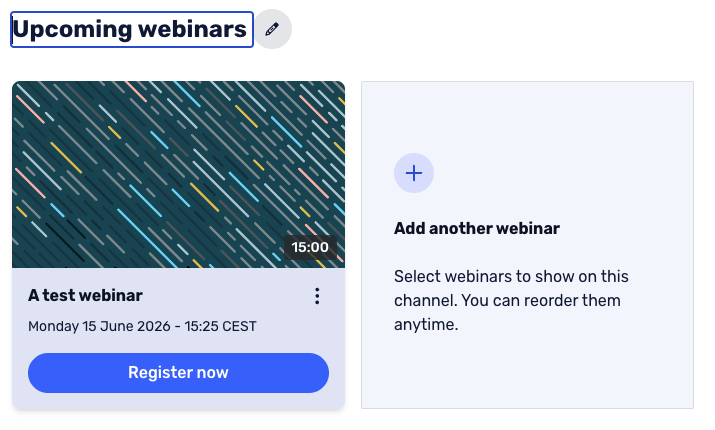
Benefits:
Controlled video content libraries that allow you to control who watches what and add the content close to where you want it.
Full availability to onboard and maintain the knowledge of your employees by creating an internal library of content that is not accessible to the outside world.
Embeddable channels allow you to create complete video libraries at the location of your choosing.
Customizable headers and other options give you more control over the webinar channel experience.
Open-ended answer Polls
Rather than asking your viewers to choose from the poll answers you provide, you can now offer them the option to choose something different. Your viewers can select the “Show other option” and are provided with a free text field to submit their answer.
This data can be valuable, as your audience is ultimately the one you’re doing it for. Including their feedback in your webinar is what helps you improve.
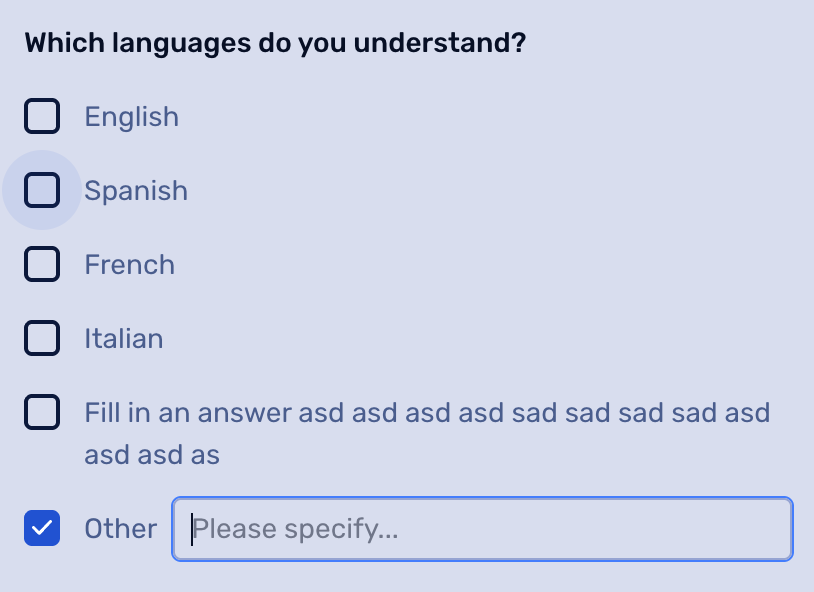
Benefits:
Gather unique input from your audience.
Your audience always feels heard, as they can share their own opinion on the matter.
Registration Embed
Embed is often seen as a scary technical term, and we’ve been using it quite a lot in this blog. It basically means doing what you are already doing, but somewhere else.
In this context, the registration page is probably a familiar feature to you. In previous releases, we made this part embeddable, which means your viewers can register somewhere else, for instance on your website.
We added further features that require no coding skills on your end. Through tick boxes, you can select which parts you want to embed on your website or in your own tooling, for instance. When an option is ticked, the image next to it shows a preview of how the embedded version will be displayed on your website.
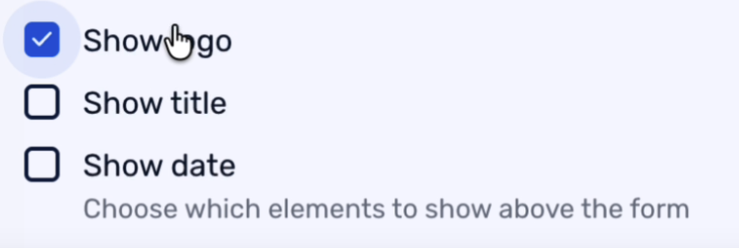
After that, you can copy the code created below it and paste it into your website’s HTML yourself, or send it to the people managing your website on your behalf. They will have everything they need.
Having a registration option on your website can increase signups, as it is visible to more people than only those in your CRM or email database.
Benefits:
Additional signup channel.
No coding skills required to promote your webinars on your website, intranet, or other software application.
AI Assistant upgrades
We told you in last month’s product update that this was just the first version, and now the first improvements are already here.
The new updates allow your AI Assistant to better help you answer recurring questions that were already answered before, and even private messages. This allows you to focus even more on your presentation, while knowing that your viewers’ questions are answered directly.
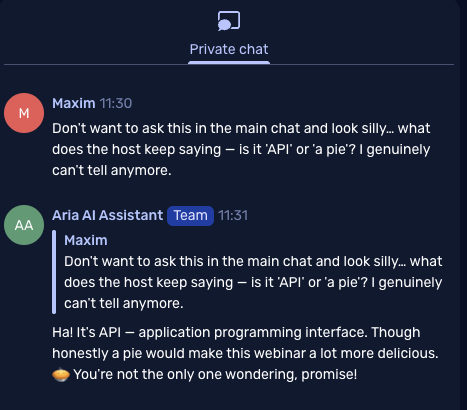
Have you started playing with the AI Assistant yet?
Benefits:
Focus on your webinar, knowing your viewers’ questions are answered.
Even private questions are now answered swiftly and accurately.
Want to see these updates in action?
Join our next Product Update webinar on July 22nd at 2 PM. We will dive into these new features and more.
Product Update Webinar on July 22 @ 2 PM
Save my seat