
Pre production

How to Use AI in Your Webinars: A Practical Guide
AI can support every stage of the webinar process, from writing your script to generating transcripts and personalizing your follow-up. The key is using it where it saves the most time so you can put your energy into what matters most: delivering a webinar your audience will remember.

Best AI Webinar Software in 2026: 7 AI-Powered Platforms Compared
Looking for the best AI webinar software? Compare the top AI-powered webinar platforms of 2026, including WebinarGeek, Zoom Webinars, ON24, Demio, and more.
Best Zoom Alternatives in 2026: Meeting Tools vs Webinar Platforms Compared
Looking for the best Zoom alternative? Compare the top meeting and webinar platforms of 2026, including Microsoft Teams, Google Meet, Webex, and WebinarGeek.

The 9 Best Meeting Platforms in 2026 for Every Use Case
Compare the 9 best virtual meeting platforms for 2026. From Zoom and Microsoft Teams to WebinarGeek, discover the best tools for internal meetings, webinars, and audience-facing events.
B2B Marketing in 2026: Strategies, Channels, and AI Workflows That Drive Pipeline
B2B buying committees are growing, and AI is reshaping content discovery. What actually drives pipeline today? This guide breaks down modern B2B marketing strategies, high-performing channels like webinars, and how to scale with AI workflows without losing trust.
How to Use AI Tools to Design the Perfect Responsive Webinar Banner
Learn how to create a professional, responsive webinar banner using AI tools like Freepik, Canva, and Adobe. No design skills needed — just smart, simple steps for banners that look great on any device.

Which Interactive Features Are Important in Webinar Software?
Discover the most important interactive features in webinar software. Learn how chat, polls, quizzes, and CTAs boost engagement and results.

Which days are best to host webinars?
When’s the best time to host a webinar? How long should it be? Does the day even matter? We get asked these questions a lot. If you're putting time into creating something awesome, you want to make sure people show up and stick around.

How to make your webinars GDPR-compliant
In this blog, we explain what the GDPR means for your webinars and your WebinarGeek account.
Preventing and managing technical issues during your online event
Hosting online events can be exciting, but let’s face it: technical issues can sneak up on you, and that’s the last thing you want. So how can you prevent and manage those issues? In this blog, we’ll walk you through how to stay calm, focused, and professional while delivering a seamless experience for your audience.
The Ultimate Guide for the Best Tech Equipment to Host Webinars
Are you looking for a way to host professional-looking webinars without having to invest in an expensive webcam? This is how you can use your phone camera as a webcam.

10 practical tips for successfully presenting a webinar
Ensure your success with these tips for your next webinar.

Upgrade your webinars with Canva's AI generator
This is how Canva's AI generator can assist you in creating professional visual content for your next presentation.

Create webinar content with Runway ML
Are you looking for a way to take your online presentations to the next level? We've got the tool for you: Runway ML. With this powerful software, you can effortlessly create impressive content to engage your audience.

How to use AI to create your webinars
Create webinars faster with AI! Learn the quick process all in under 10 minutes.

Webinar: create short-form videos by Pictory
In this webinar, Pictory AI will walk you through all the amazing things you can do with the AI tool. Sign up now and see how you can use it yourself.

Create your webinar presentation with AI
You can no longer ignore it: artificial intelligence. We just found a great tool that helps you save time creating the presentation for your webinar.

Webinars vs. YouTube: what's the difference?
There are companies that host or post their webinars on YouTube. And why not, right? Or does it matter? We'll explain exactly what the difference is.
9 Best Practices for Beginners to Host a Webinar
Whether you’re hosting a webinar for the first time or you’re an experienced pro, it’s always a good idea to brush up on the best practices for running a successful webinar.
How to Use Your Phone as a Webcam
Are you looking for a way to host professional-looking webinars without having to invest in an expensive webcam? This is how you can use your phone camera as a webcam.

How to create a low cost professional webinar studio
Learn how to get a really professional-looking webinar without spending thousands of euros.

Upgrade your webinars with the best Black Friday Deals of 2021
November 26th is the day again! Promotions and discounts are around like leaves in autumn. The best time to upgrade your webinar setup.

The Best Time to Host a Webinar
There are times when it's best to host a webinar. In this blog, you'll learn more about the best time to host a webinar, and of course, which time is not.

RTMP webinar vs. normal webinar
Want to add more of your own branding? Or stream in higher quality? Then consider an RTMP webinar.

How to present like Steve Jobs
How did the CEO become such a good presenter? And how do you apply those skills yourself?

How to pass your webinar assessment
A webinar is not just fun to watch. It is also the ideal way to take an assessment.

Video upload: a lifesaver
Upload a video and use it as a webinar!

5 Tips to create a professional webinar studio at home
This article shares some tips to create your own professional webinar studio at home.

Divide tasks with workflow software
Clarity about the same goal makes for a great joint product.

The Product Demo Video - The Virtual Tour of Your Product
Convince your prospect with a product demo video to go further down the funnel.

Create a Virtual Background for Webinars
Learn how you can create a virtual background for your webinar.
How to use OBS overlays for a professional webinar look
Connecting with your audience. Read here how to do that easily.

WebinarGeek Tech Favorites
With our tech favorites, you can get the most out of your webinars.

How to set up a quiz
Learn how to set up the quiz for your next webinar.

How to use a Green Screen for your Webinar
Use a Green Screen for your webinar

Kickstart your webinar
We made creating a webinar even easier with our new checklist.

Technical Requirements for Hosting a Webinar
Hosting a webinar is a blast when you have the right tools!

How do you organize a webinar?
Organize an online event and promote your business in an instant.

Create Multi-Camera Webinars
Learn how to create a multi-camera setup for your webinars.
Create your own webinar studio
Create your own DIY webinar studio in 6 simple steps!

Professional video camera as a webcam
Convert any professional camera into a webcam.
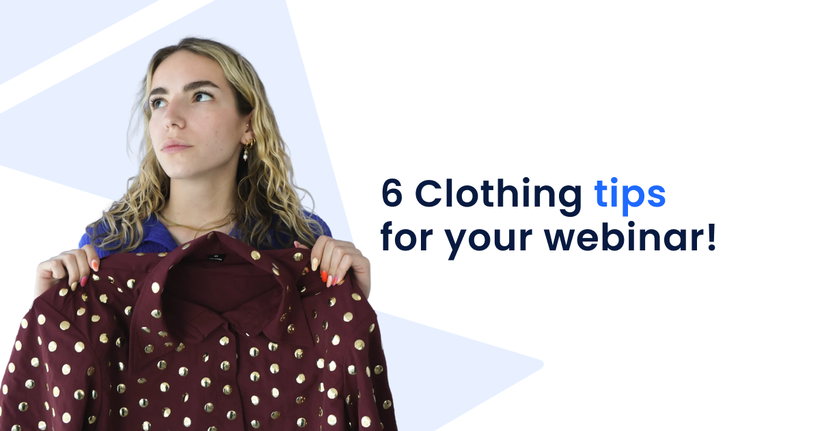
6 clothing tips for your webinar!
Your clothing is essential in a webinar. We collected a few tips you can apply for the next webinar!

Want to host a successful webinar?
Organizing a webinar is a lot of fun! But we have to be realistic, there’s a lot involved in the process.

How to look good on camera
You’ll look good on camera and make an amazing impression with these 5 easy and quick tips.