
Live webinar
The most reliable and secure webinar platform for product demos, content strategy and educational purposes.

Host live webinars with ease
WebinarGeek is made to create webinars as quickly and as easily as possible. A real-time, HD+ live event with all the interaction and marketing tools you need!

Organize as many live webinars as you like to connect with your audience

You don't need to download any software to host or to participate in a webinar

Add co-presenters or moderators to boost your webinar
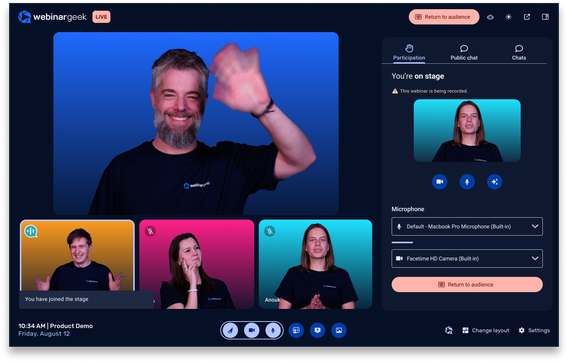
Personal contact
Our live webinar software is packed with interaction tools. Allow your viewers to have the opportunity to interact with you on a personal level. Live webinars are a tremendous way to get to know your target group even better through interactions, polls, and questionnaires.

Create value
Live Q&As, product updates, demos, and providing valuable information are a great way to retain existing customers for a longer period of time. Engage with your audience and invite them live on stage. Live webinars are fantastic for having contact with (existing) customers in an effortless and convenient way.
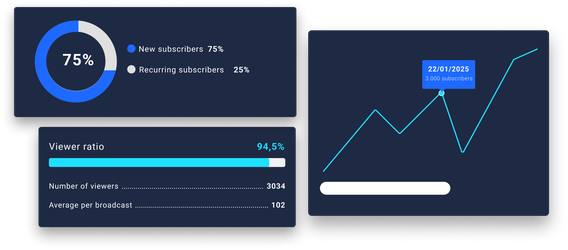
Lead generation
With WebinarGeek you can collect leads directly through registration and link them to existing programs such as Mailchimp. Use the collected statistics and follow up on your hot leads by sending them a targeted offer.
Other features

Webinar channel
Make all your webinars accessible in an overview

On-demand webinars
Make your recording available 24/7

Marketing tools
Increase your conversion with smart marketing tools

Automated webinars
Broadcast a pre-recorded webinar as if it were live

Webinar statistics
All the data in one overview, displayed in a visual way to obtain results
Ready to build real customer relationships?
You can give your undivided attention to the viewer. Answer viewers directly in the live chat or use the other interaction tools.
Live webinar FAQs
Everything you need to know before going live
When should I send the first invitation for a live webinar?
About two weeks before go-live. Most sign-ups come in during the final week, around 65% according to the Webinar Benchmark Report 2027, so a follow-up invite in those last seven days pays off.
How many reminder emails maximise attendance?
One well-timed reminder works best. Webinars with a single reminder averaged 46.2% live attendance, compared with 38.1% for two, and a reminder sent one hour before the start reached 50.7% (based on the Webinar Benchmark Report 2027).
Do last-minute invites still work?
Absolutely. Roughly one in five registrants sign up in the final 24 hours, and 6.8% even in the last hour. Keep registration open until the start and send a short last call on the day itself (based on the Webinar Benchmark Report 2027).
What’s the best day and time to host a live webinar?
Tuesdays and Thursdays are your best bet. As for timing, the Webinar Benchmark Report 2027 found the highest live attendance for webinars starting at 15:00 (56.3%), with 11:00 close behind (54.3%), while late-evening sessions at 20:00 dropped to 34.2%.
How long should a live webinar be?
There's no hard limit, as long as the session stays engaging. In the Webinar Benchmark Report 2027, webinars lasted 72 minutes on average and viewers watched for almost 56 minutes. A poll, a question round or a short break around the 30-minute mark helps keep attention up.
Does having multiple presenters increase registrations?
Not really. The number of speakers doesn’t impact sign-ups much. But switching voices during the session does help keep your audience engaged.
Will featuring an external guest speaker help?
Yes! A guest speaker with their own audience can significantly boost registrations and instantly builds trust with yours.
Start with live webinars
14 days free – all premium features – no obligations