WebinarGeek vs BigMarker
Simpler setup, smoother webinars, and tools built for marketing, not just events.
Over 5,000 companies in more than 55 countries trust WebinarGeek
















Why are teams switching to WebinarGeek?

Keep branding consistent across every webinar
Host successful webinars with AI and learn what works
Run repeatable webinars without redoing everything

Get the best-rated support in the industry
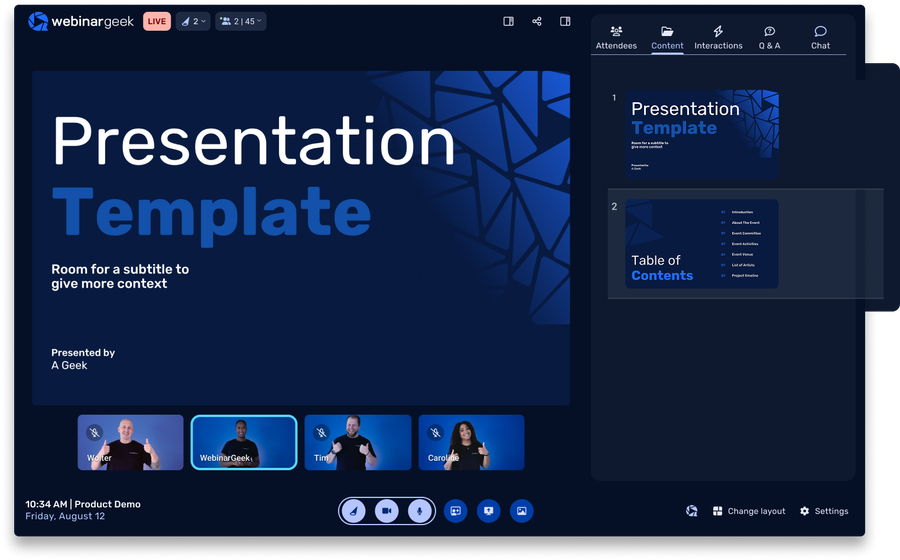
Say goodbye to overcomplicated webinar setups
BigMarker is built for large-scale virtual events. That means more configuration and complexity before you even go live.
WebinarGeek takes a different approach. It’s built specifically for webinars like demos, onboarding, and lead generation. You can set up, run, and repeat webinars without needing a production team or hours of preparation.
If your goal is to run webinars consistently and convert attendees into customers, simplicity wins.
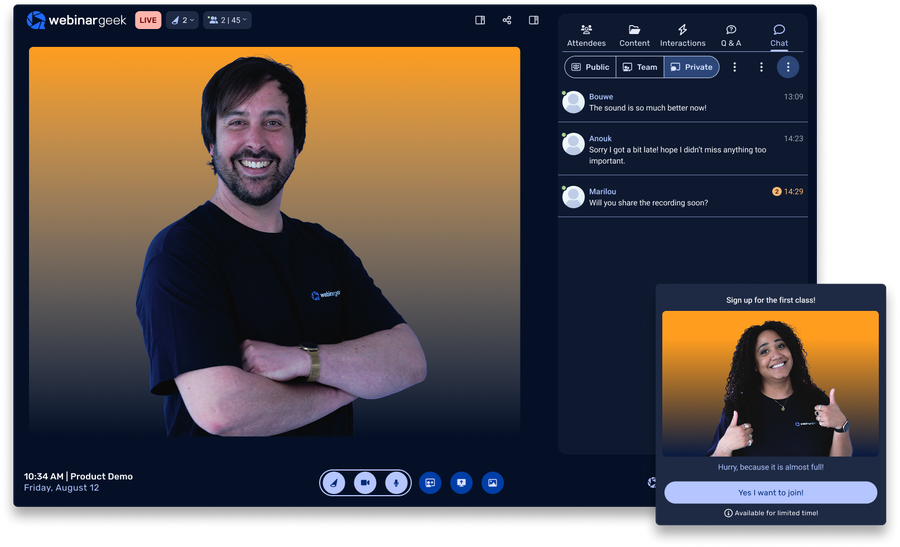
Here's a quick summary of how we differ from BigMarker:
Easier setup with fewer technical decisions to manage
Built for repeatable webinars, not one-off complex events
Reliable live experience without last-minute troubleshooting
Transparent pricing that fits growing teams
Ready for the specifics? See how WebinarGeek compares to BigMarker below.
View nowSee what users are saying
Don’t just take our word for it, see what our users say about WebinarGeek.
Sounds great but I have some doubts...
Totally fair. Here are the questions we hear most from people comparing WebinarGeek and BigMarker.

How does BigMarker pricing compare?
BigMarker pricing is typically custom and geared toward enterprise use, which makes it harder to estimate costs upfront. WebinarGeek offers transparent webinar software pricing based on live viewers, so you know what you’ll pay as you scale.

What kind of support does BigMarker offer?
BigMarker mainly offers support via email or tickets, which can slow things down if you run into issues during a live webinar. WebinarGeek is known for fast, hands-on support, so you’re not left figuring things out when timing matters most.

Is BigMarker too complex for everyday webinars?
BigMarker is built for large virtual events with lots of moving parts. That’s useful for conferences, but often more than needed for demos or onboarding. WebinarGeek keeps things focused. You can set up and run webinars quickly without dealing with unnecessary complexity.

Can I easily run recurring webinars?
With BigMarker, recurring webinars often require manual setup for each session, which adds extra work over time. WebinarGeek is designed for repeatability. Once your webinar is set up, you can reuse it without rebuilding everything.
How does BigMarker pricing compare?
BigMarker pricing is typically custom and geared toward enterprise use, which makes it harder to estimate costs upfront. WebinarGeek offers transparent webinar software pricing based on live viewers, so you know what you’ll pay as you scale.
What kind of support does BigMarker offer?
BigMarker mainly offers support via email or tickets, which can slow things down if you run into issues during a live webinar. WebinarGeek is known for fast, hands-on support, so you’re not left figuring things out when timing matters most.
Is BigMarker too complex for everyday webinars?
BigMarker is built for large virtual events with lots of moving parts. That’s useful for conferences, but often more than needed for demos or onboarding. WebinarGeek keeps things focused. You can set up and run webinars quickly without dealing with unnecessary complexity.
Can I easily run recurring webinars?
With BigMarker, recurring webinars often require manual setup for each session, which adds extra work over time. WebinarGeek is designed for repeatability. Once your webinar is set up, you can reuse it without rebuilding everything.
WebinarGeek is the best alternative for BigMarker
Do you want to know why WebinarGeek is the better webinar platform? Compare BigMarker vs WebinarGeek (2026).

VS
Bigmarker
Bigmarker
General options
Advanced options
Tool/interaction
Integration
Support
Last updated: 2026

11,000 Sign-Ups: The Webinar Success of Nies Cools
Nies Cools, a Belgian business coach, turned to webinars to scale her coaching practice without losing the personal touch. What started with 120 sign-ups grew to over 11,000 registrations for a single session.
Read moreFAQ
What is the main difference between BigMarker and WebinarGeek?
BigMarker is built for large-scale virtual events with advanced production features. WebinarGeek is focused on running webinars simply and effectively, especially for marketing and recurring use cases.
Is WebinarGeek a good alternative to BigMarker?
Yes. If you don’t need complex event production and want a more straightforward webinar tool, WebinarGeek is often the better fit.
Is WebinarGeek GDPR compliant?
All data you store in WebinarGeek is safely stored on servers located in Europe. WebinarGeek is completely GDPR-proof and ensures that you are in control of the data you collect.
Do you work with American software companies? Then your data will not be stored according to the EU GDPR guidelines, given that the Privacy Shield between the EU and the US has been declared invalid since July 2020! Choose WebinarGeek and take responsibility for your data!
Can I run automated webinars with both platforms?
WebinarGeek includes automated and on-demand webinars as a core feature. BigMarker supports automation, but setup can be more complex depending on your use case.
What integrations are available with other marketing tools?
WebinarGeek integrates with popular marketing tools like Mailchimp, HubSpot, and Zapier, enabling seamless email marketing and CRM management.
You can also connect with social media platforms like Facebook and LinkedIn for easy promotion. These integrations help streamline your processes, manage contacts, and enhance performance analysis.
For more details on available integrations, visit here.
Which webinar platform is better for small and medium-sized businesses?
WebinarGeek is generally a better fit for SMBs due to its ease of use, pricing, and focus on repeatable webinar workflows.
How do I make the switch?
Ready to move over? Start your free trial or talk to us if you're bringing a bigger team or need something custom.